How to Configure Something Like THIS
The Mona Lisa (Simpson)
I'm very bad with aesthetics. I know the basics, of course. But I'm lazy with them. Art is not my passion and it doesn't bring me money, so it's not my interest. My interest is that I must like what I am doing. For that, some times I need aesthetics.
Do you see the loop? Let's use some community layouts and plugins to break it.
Configure the (weed) garden.
[I've never smoked](1 Recommended Seeds#^a6e64c). Anyways, probably you want to have some custom themes on your garden:
- Go to the Digital Garden plugin > Appearance > Select Theme
- You might to use the same one as for your obsidian, but it might not work so test it onces deployed
- Please choose a dark theme
For the configuration, similar:
- Go to the Digital Garden plugin > Features > Manage note settings
- Choose everything but the last option (or read what each one does and select, ofc)
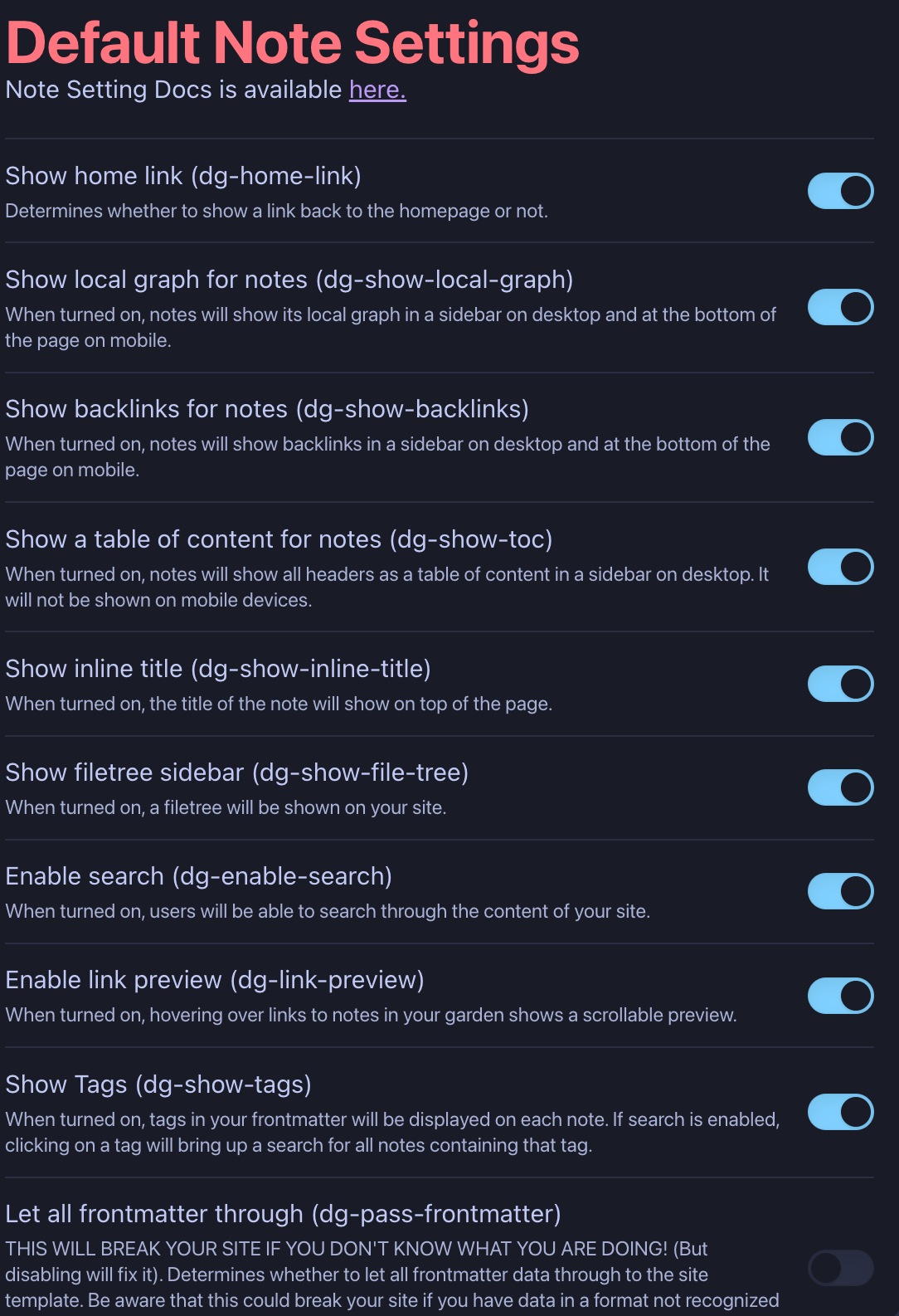
Simple?
Yes, some notes are like this, little pieces of information.
The one below is going to be longer, although I don't even know if it is written (yet):
How to Shield something Like THIS
If it is not that simple, check:
Some tips for Something Like THIS